How to
A competitor research checklist you can run in 30 minutes
A timed, step-by-step checklist for researching one competitor properly in half an hour, with what to record at each stage and what to skip.
Published 6 min read
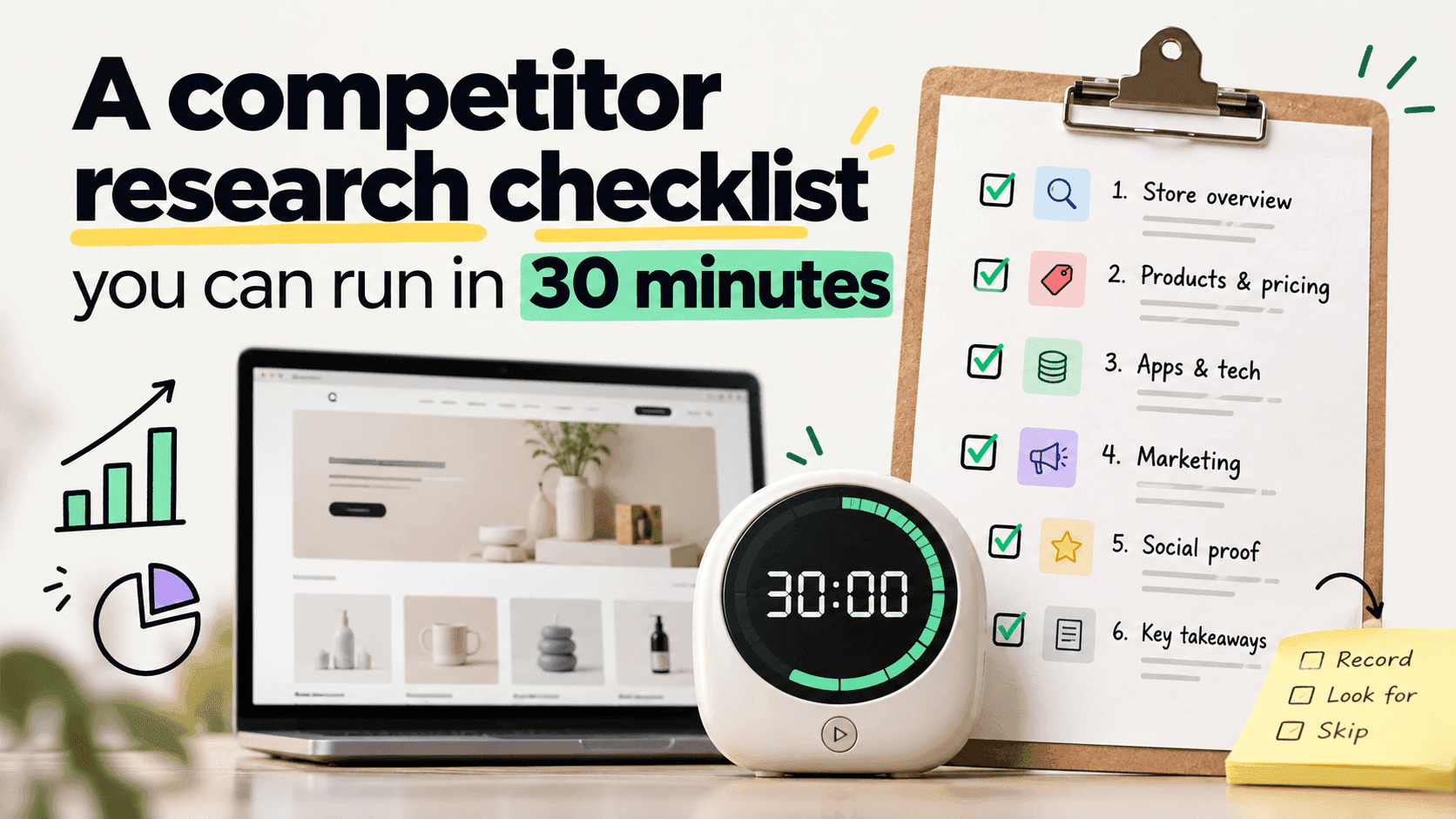
Half an hour is enough to research one competitor properly, as long as you decide in advance what you are not going to do. This is the running order: six stages, each with a time limit and a short list of what to write down. It assumes nothing beyond a browser and a spreadsheet, and it ends with something you could put in front of a colleague.
Do it for one shop at a time. Trying to do five in an afternoon is how people end up with five shallow notes instead of one useful one.
Before you start: what you are not doingLink to this section
Write this at the top of the page, because the time limit only works if you hold to it.
- You are not going to find out their revenue. Any number you could get is a modelled estimate with wide error bars, and chasing it will eat your thirty minutes.
- You are not going to reach a verdict on their health. Costs, margins, repeat purchase rate and marketing spend are all invisible.
- You are not going to read every product. You are looking at the shape of the range.
Minutes 0–3: identify the shopLink to this section
- What platform is it on? The Shopify check takes ten seconds; other platforms are covered here.
- Note the shop's permanent address if it has one, so you can recognise it after a rebrand.
- Note today's date. Everything below is a fact about today.
Record: platform, permanent address, date.
Minutes 3–10: shop like a customerLink to this section
This is the most valuable seven minutes and the one people skip in favour of tools.
Go through a full journey: land on the home page, use the menu, open a category, open a product, add it to the basket, go as far as the checkout without paying.
Write down every feature that is not part of a plain shop: reviews, subscriptions, bundles, upsells, a loyalty scheme, an email pop-up, a back-in-stock button, a size guide, live chat, multiple currencies, a delivery promise, a returns promise.
Also note the things that are not features: how the product photography looks, how the descriptions are written, who the shop is obviously talking to.
Record: a features list, and two or three sentences on who this shop is for.
Minutes 10–18: the catalogueLink to this section
Pull the shop's own product list — the full method is here — and get it into a spreadsheet.
Four numbers:
- How many products, and how many variants.
- The price range: cheapest, dearest, and roughly the middle.
- How much is discounted right now. Count the products whose compare-at price is higher than their price. Shopify's help pages describe how a shop sets that second figure when something goes on sale.
- What is newest. Sort by published date and read the top ten.
If the product list will not load, fall back to counting what you can see in the shop's own categories. A rough count with a note saying it is rough beats no count.
Record: the four numbers, plus the ten newest product names.
Minutes 18–23: the softwareLink to this section
Run the app check and note what comes back.
Keep this list separate from your features list. They answer different questions, and an app list is always partial — Shopify's own documentation explains that an installed app does not have to leave any public trace. The features you saw with your own eyes are the more complete record.
Record: apps named, kept separate from features seen.
Minutes 23–27: the outside viewLink to this section
- Search for the thing you both sell and note where this shop appears.
- Look at their social accounts: how often do they post, and what are they pushing?
- Sign up to their email list. You will not learn anything in the next four minutes, but you will in the next four weeks, and this is the moment you will remember to do it.
- Note roughly how big they seem. A range, with a date and a confidence word, or nothing at all.
Record: where they show up, posting rhythm, rough scale as a range.
Minutes 27–30: write the three sentencesLink to this section
This is the part that turns notes into research. Three sentences, no more:
- What kind of business is this? ("A focused, mid-priced range aimed at people who already know the category.")
- What are they betting on right now? ("Subscriptions and repeat purchase — they have added a subscribe option and a loyalty scheme since the last look.")
- What does that mean for us? ("Our range is twice the size at similar prices, which may be why our photography budget is spread thinner.")
If you cannot write sentence three, the research has not landed yet. Come back to it tomorrow rather than adding another twenty minutes of data.
The one-page recordLink to this section
| Field | Your notes |
|---|---|
| Shop and date | |
| Platform and permanent address | |
| Who it is for | |
| Products / variants | |
| Price range (low / middle / high) | |
| Discounted now | |
| Ten newest products | |
| Features seen | |
| Apps named (partial) | |
| Rough scale (range + confidence) | |
| Three sentences |
Keep every copy. The value compounds: one filled-in sheet describes a shop, and four of them three months apart describe a strategy.
What half an hour cannot give youLink to this section
A judgement about whether they are winning. You have described a shop, not diagnosed a business.
Anything about their customers. Repeat rate, list size and lifetime value stay invisible.
Certainty on the numbers you estimated. Scale is a guess; the counted facts are not. Keep them visually separate in your notes so that nobody later reads the guess as a measurement.
A reason for anything. You can see that prices dropped. Why they dropped is not in the data.
Doing this every monthLink to this section
The checklist is designed to be repeatable, because one run is a description and four runs are a trend. Which shops to run it on, and how many, is its own question — the short answer is five to ten, and fewer than you think.
The repetition is also the part that fails by hand. StoreLenz is being built to keep the catalogue, price and change-tracking parts of this checklist up to date for you so the half hour is spent on judgement instead of collection. What it does today is written out plainly.
Related readingLink to this section
- Shopify competitor analysis: a practical guide
- How to choose which competitors are worth watching
- How to see a Shopify store's whole product catalogue
SourcesLink to this section
- Shopify Help Center, Setting sale prices for products — https://help.shopify.com/en/manual/products/details/product-pricing/sale-pricing — read 2026-09-22
- Every method in this checklist is set out in full, with its own sources, in the linked articles
Written by Soneth Martins
shopify store manager