How to
How to spot when a competitor installs or removes an app
A competitor's app list changing is one of the earliest signals you can get about what they plan to do next. Here is how to catch it without checking every week.
Published 7 min read
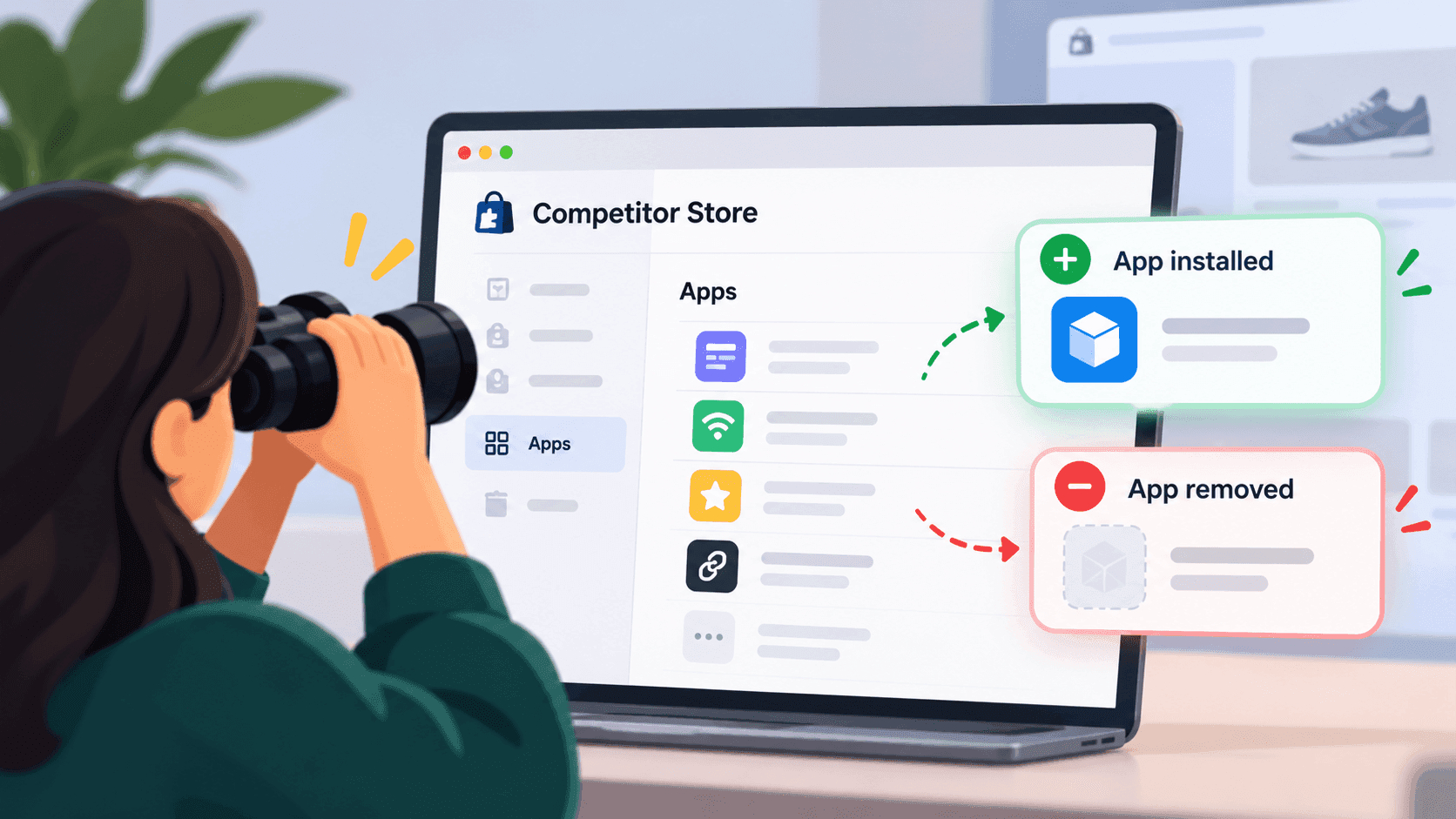
Save a dated list of what a shop visibly runs, and compare it with the last one. That is the whole method: there is no announcement to subscribe to and no history to look up, so the only way to see a change is to have recorded what came before. Done monthly it takes about ten minutes per shop, and it gives you one of the earliest signals available about what a competitor plans to do next — with one important caveat about dates.
Why it is worth the effortLink to this section
A shop's current app list tells you what it believes. A shop's app list changing tells you what it has just decided.
That is a much stronger signal, and it usually arrives months before a customer would notice. A competitor adding a subscription tool in October is telling you about their spring. A competitor adding a loyalty scheme has decided repeat purchase is their problem. A competitor removing something has either stopped believing in it or started cutting costs.
It is also a signal almost nobody collects, precisely because there is no way to get it retrospectively. Start now and you have a year of history next autumn; start next autumn and you have nothing.
The methodLink to this section
1. Record a baselineLink to this section
For each shop you watch, make two lists on the same day and keep them separate:
- Features seen — everything you can observe as a customer: reviews, subscriptions, bundles, upsells, loyalty,
pop-ups, back-in-stock alerts, size guides, chat, multiple currencies. Walk a full journey, including adding something to the basket.
- Apps named — whatever a check of the shop's public pages turns up
Save both with the date in the file name. The features list matters more, and people skip it because the technical one feels more rigorous.
2. Repeat monthlyLink to this section
Same day each month. Same journey. Same order.
3. Compare, and write one lineLink to this section
Anything on this month's list that was not on last month's. Anything missing. One line per change, with the date you noticed it:
"23 Sep 2026 — a subscribe-and-save option now appears on product pages. Not present on 22 Aug."
That is the record. Do not interpret it every month; the interpretation is worth doing quarterly, when you have a few of them.
4. Check the obvious places once a quarterLink to this section
Two free sources that often beat any detection:
- Their job adverts. A shop hiring for a role that names a tool is telling you what they run, and often what
they are about to run.
- The app makers' own marketing. App companies publish customer lists and case studies. A competitor appearing
in one is a confirmed install, straight from a party with every reason to state it accurately.
The caveat about dates, and it is a real oneLink to this section
The date you detect an app is not the date it was installed.
Shopify's own documentation says that app embed blocks are deactivated by default after an app is installed, and that a merchant has to switch them on in the theme editor. So a shop can install something, configure it, test it and pay for it for weeks before anything appears publicly.
What you are actually recording is the date a feature became visible to shoppers, which for competitor research is arguably the more useful date anyway — it is when the competitor started using the thing on real customers. Just do not write "installed on 23 September" in a document, because you do not know that. Write "visible from 23 September".
What you will missLink to this section
Everything that never becomes visible. Accounting, shipping, inventory, supplier ordering, customer service, email platforms — a shop can add a dozen tools a shopper would never see.
Anything only used at checkout. Shopify's documentation notes that app blocks cannot be rendered on checkout pages.
Swaps between similar tools. A shop moving from one review provider to another may look identical from outside: still reviews, still on the product page. Unless the name changes in a way your check can see, nothing appears to have happened.
Anything that happens between your checks. A tool installed and abandoned within a month leaves no trace in a monthly record.
The full account of why detection is always partial is worth reading before you present any of this as complete.
How to read a change once you have oneLink to this section
Ask three questions:
- Which bucket does it fall into — getting people in, converting them, or bringing them back?
What those buckets mean is a separate piece.
- Is it a new bet or a replacement? A shop adding its first loyalty scheme is a strategy change. A shop
swapping one pop-up tool for another is housekeeping.
- Does it close a gap you were exploiting? If your advantage over a competitor was that they had no
subscription option and they have just added one, that is the change you most needed to know about.
A shortcut for the first monthLink to this section
If you have no history at all and want something useful quickly, do not start with a monthly cycle — start with a single careful pass across all your competitors in one sitting.
Recording the same day for five shops gives you something a month of staggered notes does not: a comparison. Which of them has subscriptions and which does not; who runs loyalty; who has nothing at all for repeat purchase. That snapshot answers the strategic question — where are the gaps in this market — immediately, while the change-tracking value builds up behind it.
Then set the monthly rhythm from there. The first pass pays for itself straight away; the later ones are what tell you where the market is going.
Keeping the record usableLink to this section
Two habits that decide whether this is still useful in a year.
Keep the old files, do not overwrite them. The whole value is in the comparison, and a single file that you update in place destroys exactly the thing you are collecting. One file per shop per month, with the date in the name.
Write what you saw, not what you concluded. "A subscribe option now appears on product pages" ages well. "They have pivoted to subscriptions" is an interpretation that may look foolish in three months, and once it is in the file you will read it back as though it were an observation.
The honest summaryLink to this section
This is a slow-burn signal. One comparison tells you very little; twelve monthly comparisons across five competitors tell you where your market is heading. The cost is the discipline of doing it on a schedule and keeping the old files — and that discipline is the entire method.
Watching for changes like these on a schedule, and telling you when something appears or disappears, is part of what StoreLenz is being built to do. Technology and app tracking are being built rather than finished today; what it does now says which is which.
Related readingLink to this section
- How to find out which apps a Shopify store is using
- What a competitor's apps tell you about their strategy
- Why an app detector misses apps a store obviously uses
SourcesLink to this section
- Shopify.dev, Configure theme app extensions ("By default, app embed blocks are deactivated after an app is installed. Merchants need to activate app embed blocks in the theme editor."; app blocks "can't be rendered on checkout pages") — https://shopify.dev/docs/apps/build/online-store/theme-app-extensions/configuration — read 2026-09-22
Written by Cristiano Pinto
shopify store expert