How to
How to check an unfamiliar online shop before you buy from it
Six checks that take ten minutes and tell you whether a shop you have never heard of is a real business — using the same public information competitor research uses.
Published 6 min read
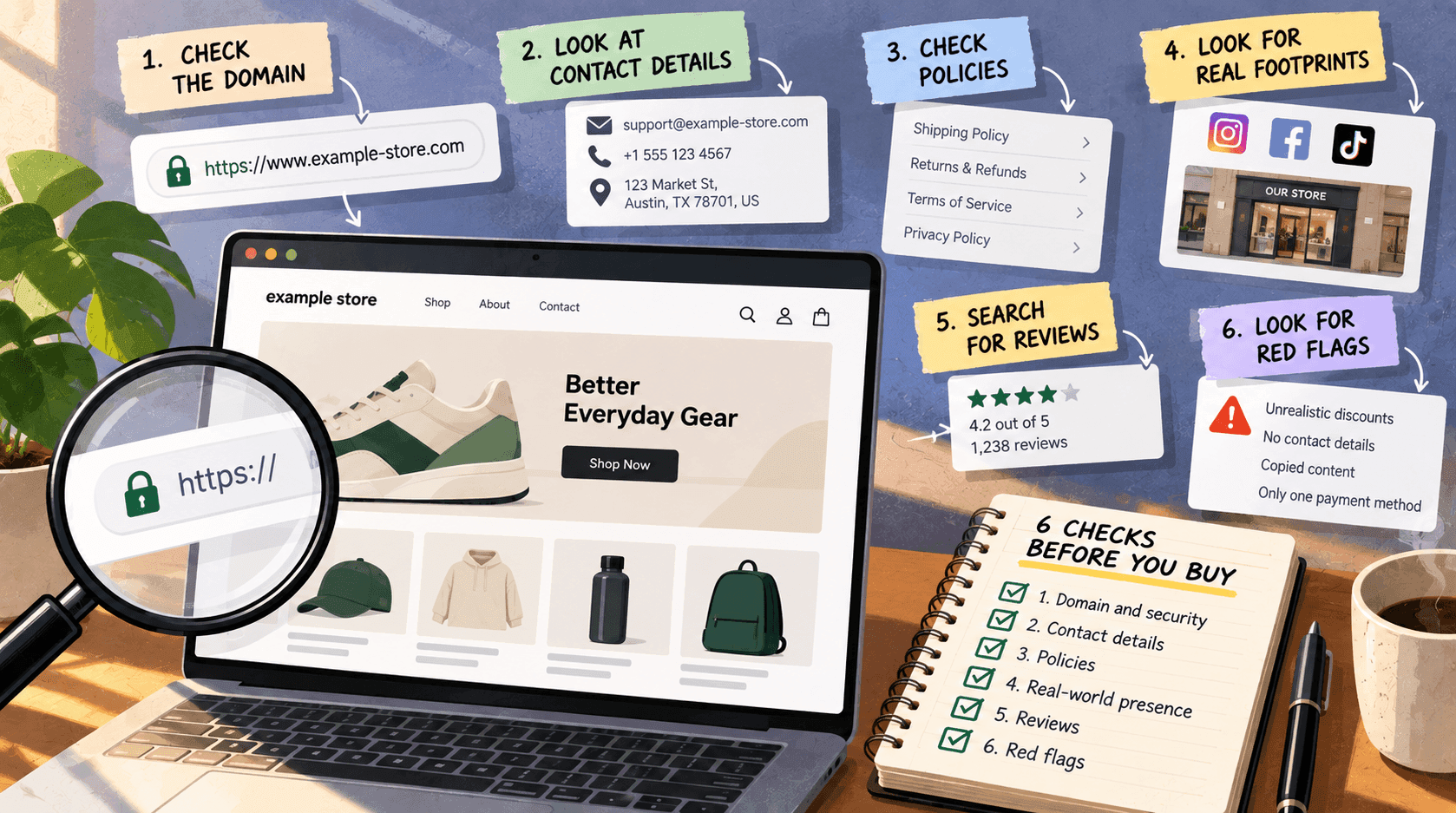
You can learn a lot about an unfamiliar shop in about ten minutes from what it publishes about itself: how long it has been trading, how big its range really is, whether anyone is looking after it, and whether the business behind it is findable. None of that proves a shop is honest — nothing you can check from outside does — but it reliably separates an established business from a page that went up last month.
The one thing that actually protects you is paying by a method with buyer protection, and never by bank transfer to someone you do not know. Everything below tells you what you are dealing with. It does not replace that.
1. Is there a real business behind it? (2 minutes)Link to this section
Look for the unglamorous pages: about, contact, delivery, returns, terms, privacy.
What is reassuring: a postal address, a company name, a registration number where the country uses them, a returns policy with actual timescales, a contact method that is not only a form.
What is not: no address at all, a contact form and nothing else, a returns policy that is three sentences of generic text, or legal pages that read as though they came from a template with the shop's name pasted in.
A real business usually has boring, specific, slightly awkward pages. A thrown-together shop has smooth generic ones.
2. How long has it existed? (2 minutes)Link to this section
Every Shopify store publishes a sitemap automatically — a list of its own pages — and other platforms usually do the same. Open /sitemap.xml on the shop's address and look at what is in it.
A shop trading for years has accumulated things: blog posts, pages, many products, several collections. A shop created three weeks ago has a handful of pages and nothing else, however polished the front looks.
You can also sort its product list by publication date — the method is here — and see when the oldest products went up. That date is a reasonable floor on how long the shop has been selling.
3. Is the range real? (2 minutes)Link to this section
Pull the product list (method) and look at the shape of it.
Reassuring: a coherent range, prices that make sense together, products added over a period of time rather than all on one day, real variants with real options.
Worth pausing over: hundreds of unrelated products all published on the same date, prices with no logic to them, product descriptions that read identically across very different items, or a "range" that is one supplier's catalogue reproduced wholesale.
That last pattern is common in shops that resell from a catalogue without holding stock. That is a legitimate way to run a shop — but it tells you delivery may be slow and returns may be awkward, which is worth knowing before you order.
4. Is anyone looking after it? (2 minutes)Link to this section
- Are products currently available, or is much of the shop unavailable?
- Is there a blog, and if so when was the last post?
- Do the social links in the footer go to accounts that exist and have recent activity?
- Do the delivery and returns pages mention specific timescales and carriers?
A maintained shop shows small signs of ongoing work. An abandoned or hastily-made one has stale dates everywhere.
5. What do other people say? (2 minutes)Link to this section
Search the shop's name alongside words like "review", "delivery" and "refund". Read independent sources rather than the reviews on the shop's own pages, which the shop controls.
Be careful in both directions. A shop with no reviews anywhere may simply be new. A shop with a wall of glowing five-star reviews posted in the same week is a worse sign than no reviews at all.
6. Does the technology match the story? (1 minute)Link to this section
Check what the shop is built on. This will not tell you whether a shop is honest — a scam can be run on any platform, and most shops on every platform are perfectly legitimate — but it does tell you whether the shop is what it appears to be.
A "large established retailer" running on a free template with forty products and a three-week-old sitemap is telling you two different stories at once.
What none of these checks can doLink to this section
They cannot tell you a shop is honest. Every check above can be passed by a well-organised bad actor with a little patience. They are about establishment and maintenance, not integrity.
They cannot tell you the goods are as described. Nothing visible from outside can.
They cannot tell you delivery will happen. A shop can be entirely real and still be overwhelmed, understaffed or about to fail.
They cannot tell you who owns it. Ownership is rarely published, and a shop being part of a larger group is invisible.
So treat the result as a weight, not a verdict: this looks like an established, maintained business — or this looks like something put up recently that I know very little about.
The rule that actually protects youLink to this section
Pay by a method that gives you recourse. For a consumer that usually means a card or a payment provider with a dispute process; for a business it means not paying a new supplier by bank transfer for a large first order.
If a shop pushes you towards a payment method with no protection, or asks for payment outside its own checkout, stop — that single behaviour outweighs every reassuring sign above.
If you are buying as a businessLink to this section
Two extra steps worth the time:
Place a small first order yourself. It costs little and tells you about packaging, delivery speed, invoicing and what happens when you email them. No amount of outside research substitutes for it.
Check whether they are the maker or a reseller. A shop whose entire range is one supplier's catalogue is a middle layer, which affects your margins and your lead times. The product list usually makes this obvious.
Related readingLink to this section
- How to tell if a website is built on Shopify
- How to see a Shopify store's whole product catalogue
- How to see what a competitor has just launched
SourcesLink to this section
- Shopify Help Center, Finding and submitting your sitemap (every store generates one automatically) — https://help.shopify.com/en/manual/promoting-marketing/seo/find-site-map — read 2026-09-22
- Our own checks of public stores' sitemaps and product lists, 2026-09-22
- No fraud statistic is quoted in this article, and none of these checks is presented as a test of honesty
Written by Cristiano Pinto
shopify store expert