Explainer
What a .myshopify.com address is, and why every store has two
Every Shopify store has a permanent .myshopify.com address behind the one customers see. What it is, how to find it, and the one thing it is genuinely useful for.
Published 6 min read
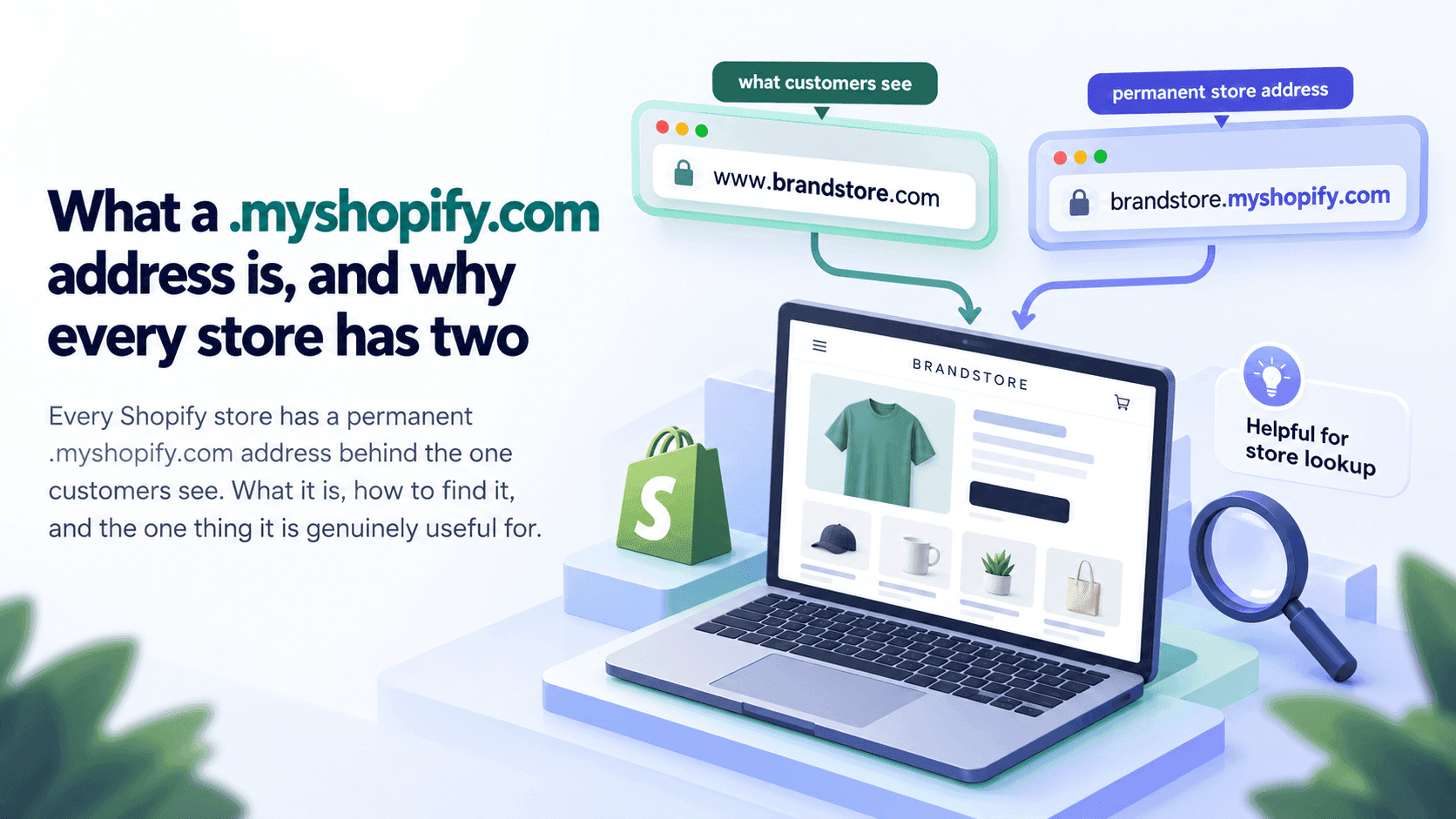
Every Shopify store has two addresses. There is the one the owner bought and shows customers, like www.example-shop.com, and there is a permanent one ending in .myshopify.com that Shopify gives the shop when it is created. Shopify's own help pages describe that second address as the default every store receives, and note that an owner can change it only once. The customer-facing address can change any number of times; the .myshopify.com one is effectively the shop's real name.
Why a shop needs twoLink to this section
Think of it as the difference between a shop's trading name and its company registration.
The address customers see is a marketing decision. A shop can rebrand, buy a better domain, move from .co.uk to .com, or run several addresses that all lead to the same shop. Any of that can happen without the shop itself changing.
Underneath, Shopify needs one stable name for the shop so that everything attached to it — the products, the orders, the apps, the staff accounts — stays attached to the right thing when the public address changes. That is the .myshopify.com address.
What it looks likeLink to this section
It is the shop's original chosen name followed by .myshopify.com. We checked a well-known public shop on 2026-09-23 and its permanent address was weareallbirds.myshopify.com, while the address customers use is allbirds.com.
That example shows the usual pattern: the permanent address is often a slightly different, older or more literal version of the brand — the name the shop picked on the day it was created, before the marketing was settled.
How to find a shop's permanent addressLink to this section
Two ways, both free and taking under a minute.
The quick way. Open the shop's home page, open your browser's developer console (F12 on Windows, Cmd+Option+J on a Mac), type Shopify.shop and press enter. The permanent address comes back. We confirmed this on two unrelated public shops on 2026-09-23.
The way that needs no console. Look at the page's underlying text — Ctrl+U on Windows, Cmd+Option+U on a Mac — and search for myshopify. Shops often mention their permanent address somewhere in their own pages, though not always.
If neither works, the shop may not be on Shopify at all, which is a separate check.
What happens when a shop changes itLink to this section
Shopify's help pages say the myshopify.com address can be changed, but only once. That single change is worth understanding, because it is the one case where the "permanent" address is not permanent.
In practice it means a shop that rebranded early may have spent its one change, and a shop that has been trading for years under a name that does not match its permanent address has almost certainly decided to leave it alone. Either way, for a competitor you are watching today, the address you record now is very unlikely to move.
What changes freely is everything in front of it. A shop can add and remove customer-facing addresses whenever it likes, point several at the same shop, and switch which one is the main one. All of that leaves the permanent address untouched, which is exactly why it is the useful thing to write down.
Where you will see it if you are a shop owner yourselfLink to this section
If you run a Shopify store, your own permanent address is the one you sign in with and the one apps ask for when they want to connect. It is not a secret and it is not something to be protective about — it identifies your shop in the same way a company number identifies a company. You will be asked for it routinely.
What it is genuinely useful forLink to this section
Confirming a shop is on Shopify. This is the strongest single confirmation there is. A site with a .myshopify.com address is a Shopify store; there is no ambiguity to weigh.
Recognising a shop that has rebranded. This is the real use for competitor research. A shop that changes its name and its domain looks like a brand new business from outside — but its permanent address usually does not change, so if you recorded it, you can tell that the new shop in your market is the old one with a fresh coat of paint. Worth noting down for every competitor you track, once, for exactly this reason.
Telling two similar shops apart. Brands with several regional sites often run them as separate shops. Their permanent addresses show you whether you are looking at one shop with several front doors or several shops.
What it is notLink to this section
It is not a way in. The address identifies a shop. It gives no access to anything — not the admin panel, not orders, not customer information. Visiting it simply shows you the same public shop.
It is not secret. Shops publish it themselves, in their own pages, as part of how Shopify works. Finding it is reading, not prying.
It is not a name you should use publicly for someone else's shop. It is the address the shop chose not to put on the sign. In a client document or an article, the courteous thing is to refer to a shop by the name it trades under.
It does not tell you anything about the business. Not its size, not its plan, not its age beyond the hint in the name itself. It is an identifier and nothing more.
The one practical habitLink to this section
If you track competitors, write down each shop's permanent address once, next to its trading name. It takes a minute, it never changes, and the day one of them rebrands it will save you from either losing a competitor or counting the same one twice.
That is also why the shops StoreLenz watches are identified by something stable rather than by whatever address they happen to be using this year. What the product does today is written out plainly.
Related readingLink to this section
SourcesLink to this section
- Shopify Help Center, Domains (every store receives a default
myshopify.comaddress; it can be changed only once) — https://help.shopify.com/en/manual/domains — read 2026-09-22 - Our own checks on two unrelated public shops, 2026-09-23: reading
Shopify.shopin the browser returned each shop's permanent address, one of themweareallbirds.myshopify.comagainst a public address ofallbirds.com
Written by Pinto Arkad
I love shopify